Background Remover
Remove image background with AI.
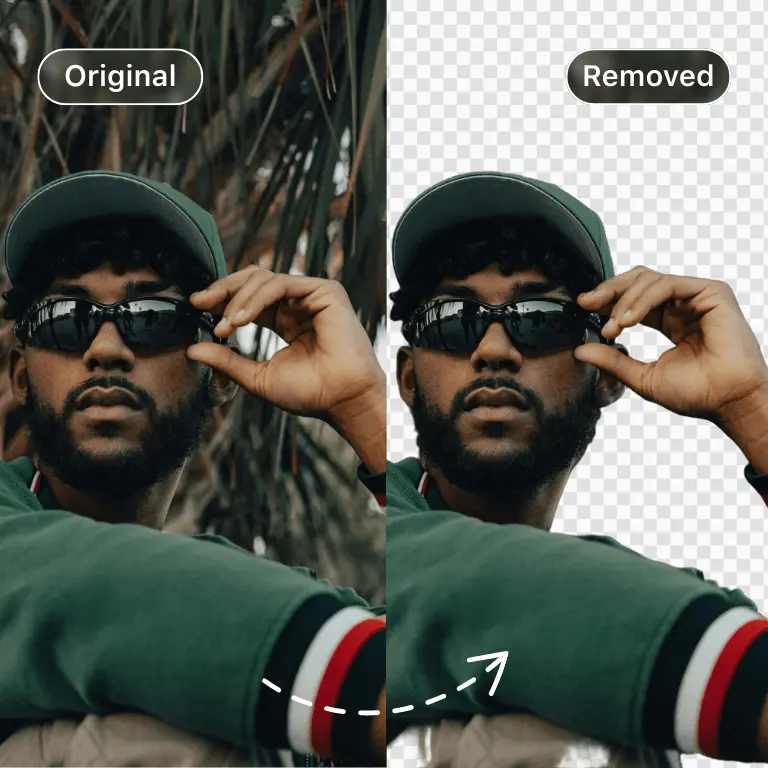

Remove the background from any image in seconds. Upload a photo and our AI background remover automatically detects the subject and erases the background, giving you a clean cutout with a transparent background — free, with no signup and no watermarks.
How to remove a background from an image
- Upload your image — drag and drop a JPG, PNG, or WebP file, or paste a URL.
- Let the AI work — the model detects the foreground subject (people, products, pets, logos) and removes the background automatically in a few seconds.
- Download the result — save your cutout as a PNG with a transparent background, ready for design work, listings, or profile pictures.
What people use it for
Product photos for online stores and marketplaces, profile pictures and headshots, marketing banners and thumbnails, collages and memes, and preparing images for further editing. Pair it with the AI Image Editor to replace the background with something new, or Super Resolution to upscale the cutout.
Built for developers too
The same model is available through the DeepAI API — remove backgrounds programmatically with a single HTTP request from Python, JavaScript, or any language.
Frequently asked questions
Is the background remover free?
Yes. You can remove image backgrounds for free without creating an account. DeepAI Pro removes usage limits and unlocks the API at higher volumes.
Does it produce a transparent background?
Yes — the result is a PNG with a transparent background wherever the original background was removed, so you can place the subject on any new backdrop.
What image formats are supported?
JPG, PNG, and WebP uploads are supported. The output is a transparent PNG.
How does AI background removal work?
A neural network trained on millions of images predicts which pixels belong to the foreground subject and which belong to the background, then produces an alpha mask that cleanly separates the two — including tricky edges like hair and fur.
Can I remove backgrounds via an API?
Yes. The background remover is part of the DeepAI API: send an image, get the cutout back. See the API docs for code examples.
Sign in with Google
Use your Google Account to sign in to DeepAI

Consider DeepAI Pro
- World's best value AI at $9.99 per month
- Smarter AI Chat
- Highest quality AI Images, Videos, and Music
- 100% Ad-free